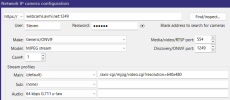
My cat is at a specialty vet for radio iodine therapy, and they've provided me with a link to her live webcam:
plus a case-sensitive username and password. These work in my browser, and I'm watching her now.
I can't figure out how to get the stream into Blue Iris:
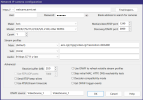
This does not work. I get a
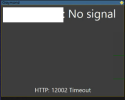
Note that I have no control over the camera itself. It's their camera, and I'm just trying to store the stream.
What am I doing wrong?
p.s. yes, resolution=1280x960 also works in the browser, just in case someone wants to point that out!
plus a case-sensitive username and password. These work in my browser, and I'm watching her now.
I can't figure out how to get the stream into Blue Iris:
This does not work. I get a
Note that I have no control over the camera itself. It's their camera, and I'm just trying to store the stream.
What am I doing wrong?
p.s. yes, resolution=1280x960 also works in the browser, just in case someone wants to point that out!