IPC-HDBW4231F-E2-M IPC-HX5X3X-Multi-Rhea_Eng_V2.622.0000000.38.R.211029 Dual lens Firmware

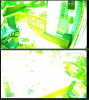
My camera was experiencing some issues and based on the recent good reviews here on the firmware, I decided to update. After the firmware update, I get this lovely shade of green! I tried both the firmware from Dahua's website and the one Andy has on the first page of this forum. Any suggestions on next steps.

1663103457387.png
 
Sorry to ask, cannot find info even though I know it is here. How do I setup these cameras for blue iris viewing of both lenses?

Thanks

Add camera and put in IP address and user/password for camera 1

Then copy camera and then open the dropdown for mainstream and substream and select the option that has number 2 in it.

Then to the left of that is a box that says Camera No - select 2
 
  • Like
Reactions: walkjp1
Add camera and put in IP address and user/password for camera 1

Then copy camera and then open the dropdown for mainstream and substream and select the option that has number 2 in it.

Then to the left of that is a box that says Camera No - select 2
Thank you, Works Fine now

Is this camera difficult to set up when adding to NVR?
 
Thank you, Works Fine now

Is this camera difficult to set up when adding to NVR?

Basically the same way. Depending on the NVR, it might pull both in automatically.

Do keep in mind that for NVR purposes, this does count as 2 cameras, so you will end up with a POE port not used on the NVR. So if you have an 8 camera NVR and 7 cameras already, it will only see one of these cameras.
 
  • Like
Reactions: walkjp1
Basically the same way. Depending on the NVR, it might pull both in automatically.

Do keep in mind that for NVR purposes, this does count as 2 cameras, so you will end up with a POE port not used on the NVR. So if you have an 8 camera NVR and 7 cameras already, it will only see one of these cameras.
Thank you very much
 
I am having problems viewing these cameras through the DMSS app. Maybe they require a lot of bandwith? Cannot even open 1 stream most times. Any ideas how to fix this?
 
yes, you just make the update with that fw on dahua website, the 4mp has bit good improvement compare to the 2mp.
The 2mp i have a latest new one released at Dec.2021, if you are interested, can contact me for a trying, i will release here later when we test it.

Is there a new firmware? I had not logged into my IPC-HDBW4231f-e2-m cameras (2MP, dual lens, 3.6mm) for quite some time and noticed there was a notification for a firmware update. I chose to update and now they show as Software Version2.622.0000000.38.R, Build Date: 2021-10-29
Is there anything newer? It would be nice to have both channels be able to use the smart detection.
btw, the cameras (i have 2) have been working great for several years now in extreme weather conditions here in North Dakota :)
 
  • Like
Reactions: sjamieso
Is there a new firmware? I had not logged into my IPC-HDBW4231f-e2-m cameras (2MP, dual lens, 3.6mm) for quite some time and noticed there was a notification for a firmware update. I chose to update and now they show as Software Version2.622.0000000.38.R, Build Date: 2021-10-29
Is there anything newer? It would be nice to have both channels be able to use the smart detection.
btw, the cameras (i have 2) have been working great for several years now in extreme weather conditions here in North Dakota :)

A firmware update does not add both channel smart detection - it is a limitation of the hardware. You would have to go to the 4MP version of the camera to get that.
 
Hoping someone can help. I have 4 of these IPC-HDBW4231F-E2-M boobie cams (2MP) and noticed there was the R38 firmware update available. I upgraded all of them and 2 had no issues and are running fine after the upgrade. The other 2 seem to have gotten bricked and were stuck in a boot loop. So I went through the UART port, nothing seemed corrupt with the environment variables, no errors on bootup. I was able to upgrade successfully over TFTP, tried going back to R36 and then to the R38 version posted at the top of this thread (thats the only versions I could find) but these 2 cams still have the boot loop issue. The firmware starts up, I can connect over the web interface and through ConfigTool. Within ~2 minutes they reboot. If I try to stream from them while they are up, no video comes through and they reboot. Thought it was maybe a firmware signing issue but the other 2 cams upgraded just fine with the same firmware. Any ideas?
 

Attachments

  • ConfigTool.png
    ConfigTool.png
    9.5 KB · Views: 21
  • serial.png
    serial.png
    34.7 KB · Views: 21
@EMPIRETECANDY I've got one of these cameras and just did an upgrade to the System Version2.622.0000000.38.R, Build Date: 2021-10-29 firmware, is that the best/most recent version at this point? I thought i would have to replace it, but after the lightning strike it just needed a reset and some new ethernet so I am back in business.
 
  • Like
Reactions: nosnim and glura
Is it possible to update the IPC-HDBW4231F-E2-M to 2.800 family firmware? The recent that I've found is 2.622.0000000.38.R, Build Date: 2021-10-29. On Dahua download center it returns no data on the firmware button.
 
I am not aware of any newer version for the 4231F-E2. I have version V2.840.0000000.27.R, Build Date: 2024-03-22 for the 5441F-AS-E2, but I am still on that 2021-10-29 version for the 4231F-E2
 
Just an FYI... I had updated my IPC-HDBW4231FP-E2-M a while back to the latest 241111 firmware from Andy's site. It works well, but recently I updated some LED bulbs to new ones and I realized that I was getting SEVERE camera flicker with one of the 2 cams pointed at them. I could get around it by using 1/120 manual shutter in the daytime but it's super washed out and that was the fastest shutter speed available in the 60Hz setting. Outdoor or 50Hz didn't have any other 1/60 speeds. I realized that Andy's firmware was the PAL version.

After some super digging around (why does Dahua make it hard to find firmware... what works one day won't work the next) I found the same 241111 firmware in NTSC, and now set to flicker=60 Hz and auto shutter, it's rock solid. I still only see as fast as 1/120 if doing it manually, but at least on auto it seems to go faster and still a multiple of 60.

Here's the link I used... it's the Dahua website and I just searched for "multi-rhea":

In case that helps anyone else find it who might need the NTSC version for this reason.

 
Just an FYI... I had updated my IPC-HDBW4231FP-E2-M a while back to the latest 241111 firmware from Andy's site. It works well, but recently I updated some LED bulbs to new ones and I realized that I was getting SEVERE camera flicker with one of the 2 cams pointed at them. I could get around it by using 1/120 manual shutter in the daytime but it's super washed out and that was the fastest shutter speed available in the 60Hz setting. Outdoor or 50Hz didn't have any other 1/60 speeds. I realized that Andy's firmware was the PAL version.

After some super digging around (why does Dahua make it hard to find firmware... what works one day won't work the next) I found the same 241111 firmware in NTSC, and now set to flicker=60 Hz and auto shutter, it's rock solid. I still only see as fast as 1/120 if doing it manually, but at least on auto it seems to go faster and still a multiple of 60.

Here's the link I used... it's the Dahua website and I just searched for "multi-rhea":

In case that helps anyone else find it who might need the NTSC version for this reason.
While they offer both versions, most of the firnware is just a toggle between the two - did this firmware not provide that?

If you turn off anti-flicker you gain control of the shutter to faster speeds.
 
Yeah, that was the weird thing. I had the "P" version flashed and I could see the custom shutter speeds like 1/120 and 1/60 which eliminated the flicker, but then it was still too bright. What I wanted was 1/240 which would have been good, but in the "outdoor" setting the next step up was 1/250 and then flicker was present. In the 60Hz setting, it only went up to 1/120. With 60Hz and "auto" it flickered, so I don't think whatever shutter speed it used there was a multiple of 60 after all. I tried tweaking both the shutter speed and exposure but I just couldn't get it dialed in right.

Flashing the "N" firmware, same version, and on the 60Hz/auto setting, it not only got rid of any flicker but the image was properly adjusted for brightness. "Outdoor" still went from 1/120 up to 1/250 which is odd, and 60Hz still only went up to 1/120 on the shutter speed, but oh well. Auto works for me. This is on the "day" mode. At night I have different settings anyway and use a day/night script to manually set it based on sunrise/sunset. I don't recall offhand what my exposure settings are like for the night mode but I guess I'll find out tonight. :)