Hi all,
I've been reviewing a lot of your forum posts while setting up my Dahua NVR and cameras. This it toally new to me but I'm slowly getting through it!
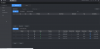
Currently I have 4 cameras connected to PoE ports on the NVR and they are all viewable via the NVR's IP address/admin center.
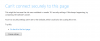
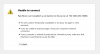
The issue I'm facing is one of the cameras will just redirect back to the NVR IP when I try to open it using the blue IE icon. It tries to go correctly to 192.168.0.254:10080 (I added an except for 10080 in Chome).
I found some other posts about this but none worked. Any ideas?
Thanks in advance!
I've been reviewing a lot of your forum posts while setting up my Dahua NVR and cameras. This it toally new to me but I'm slowly getting through it!
Currently I have 4 cameras connected to PoE ports on the NVR and they are all viewable via the NVR's IP address/admin center.
The issue I'm facing is one of the cameras will just redirect back to the NVR IP when I try to open it using the blue IE icon. It tries to go correctly to 192.168.0.254:10080 (I added an except for 10080 in Chome).
I found some other posts about this but none worked. Any ideas?
Thanks in advance!