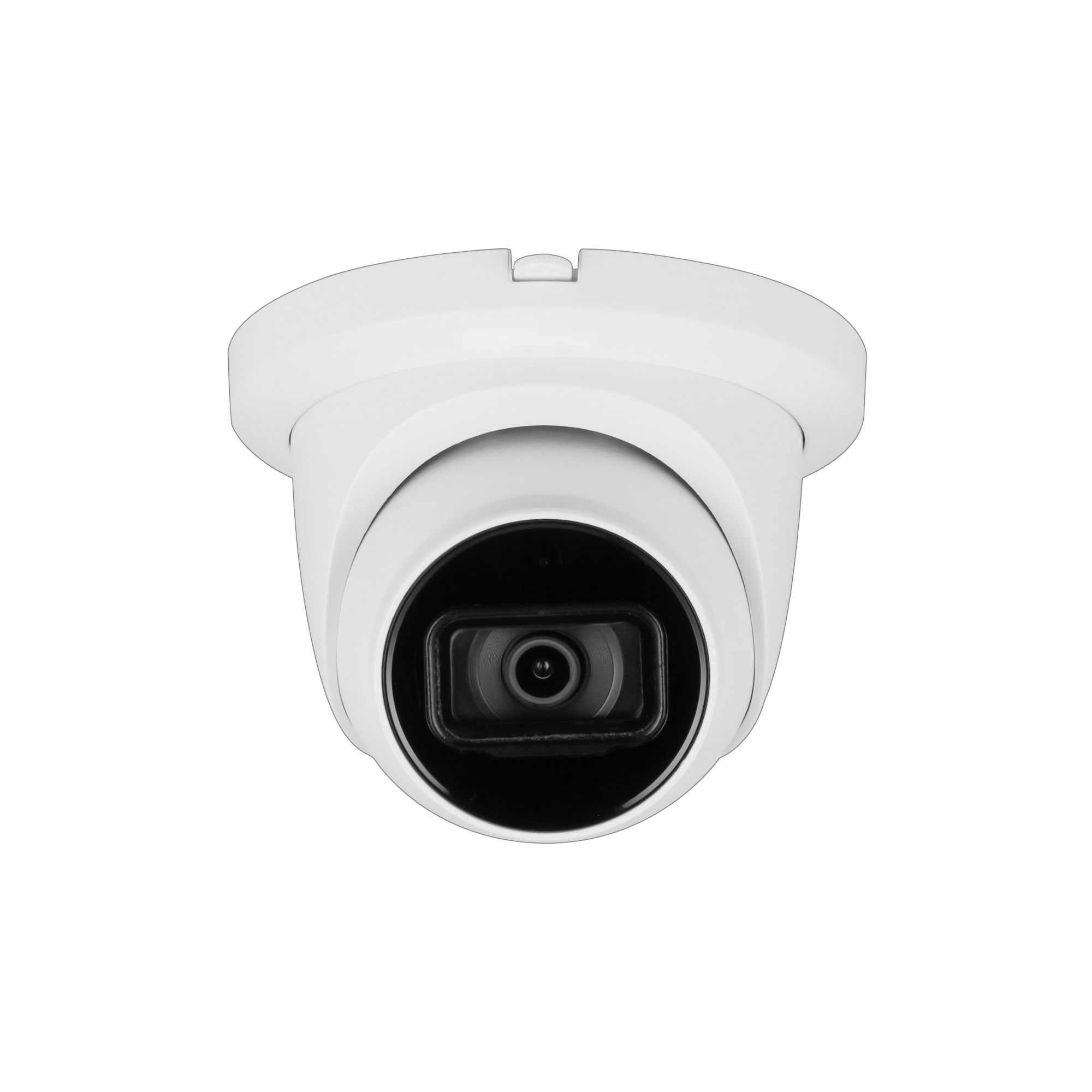
Dahua cam for office entrance

fedter

n3wb
Mar 21, 2026
8
4
Germany
Hi,
I’m looking for a camera to monitor an office entrance door + indoor hallway.
Camera will be mounted indoors, ceiling-mounted at ~2.6m (8.5 ft).

Main goal: reliable detection of intruders outside business hours.

Requirements:
  • Dome or turret
  • Budget: $100–350 (max $500)
  • At least detection, preferably identification level
  • Built-in AI person detection (camera-side)
  • On person detection: recording + mobile alerts
  • Good performance in low light / flashlight-only scenarios

Setup:
  • Synology NAS (Surveillance Station)
  • Cloud (Hetzner Storage Box with SFTP / FTPS / WebDAV)
  • May later be extended with a door sensor and Home Assistant (optional integration)

I've attached a floor plan of the office. The minimum required monitoring area is marked as "monitored area", however full coverage of the entire office hallway is also acceptable and welcome.

Questions:
  • Is Synology Surveillance Station sufficient as a recorder, or should I use a dedicated NVR?
  • Which cameras with built-in AI work well with Synology?
  • Can I reliably store recordings both locally (Synology) and offsite (Hetzner cloud)?
  • Which camera model would you recommend for this setup (EU/Germany availability preferred)?
 

Attachments

  • office-plan.jpg
    office-plan.jpg
    43.1 KB · Views: 13
The first question is light as always. Everything else takes a backseat

Are you ok with IR B&W image or must it be color?

Show a pic of normal nighttime ambient light (assume daytime has adequate light)

Can you trip external (not onboard of the camera) motion activated lights (1000-2000 lumens ) upon human detection?

Are you ok with a camera with always on white LEDs at night?

Without further knowledge, I recommend

A) the 5442 series 4MP turret. But without external white light, it will be an IR capture. Best quality image. Color possible but with external bright motion activated light

B) the Color 4M-T turret. Has onboard white light which can be activated by motion, but lesser overall quality image due to less quality sensor. But if you can supplement it with external motion flood it will likely be ok

Both can do Human activation, mobile live and playback.

Face detection at those distances is pretty reliable, face recognition on most cameras is more hit and miss

I don’t use Synology so no help on integration

8ft is fine for either with a 3.6mm lens. Assuming placement where the front room meets the hallway. You won’t see behind that point
 
Are you ok with IR B&W image or must it be color?
In night vision mode, the image may be B&W, but in daylight or under adequate lighting, it should be in color.

Show a pic of normal nighttime ambient light (assume daytime has adequate light)
Unfortunately, I don't have a picture taken in the dark right now. When the room light is turned on, there's plenty of light. If a thief leaves the light off, it's very dark. But I've attached a picture taken in daylight.

Can you trip external (not onboard of the camera) motion activated lights (1000-2000 lumens ) upon human detection?
Yes, I'm going to install an external motion sensor so that a 2000-lumen plug-in lamp turns on via Home Assistant.

Are you ok with a camera with always on white LEDs at night?
That wouldn't bother me if it only glowed at night, since I'm not in the office at night anyway

8ft is fine for either with a 3.6mm lens. Assuming placement where the front room meets the hallway. You won’t see behind that point
I would install the camera further away from the entrance so that I can capture the entire area marked in yellow. The thief would have to run through the entire hallway anyway. There’s nothing of interest to a thief in the front rooms near the entrance.


Based on this new information, would you recommend a different camera?
Can the cameras mentioned upload the footage directly to the cloud?
 

Attachments

  • entrance.jpg
    entrance.jpg
    1.7 MB · Views: 13
I would go with the 5442 S3 turret 3.6mm or possibly the varifocal model if you’re not sure on placement.

IR at night, but can instantly change over to good color quality with 2000 lumens at 8-15 ft
Color during day if course

For face detection and capture (not necessarily face recognition ie: comparing in a database) the ideal for me has been at 8-10 ft with the fixed 3.6

But I do have a 5442 Z4 that is tightly zoomed at 50ft and does pretty well.

The distinction being that you want a relatively tight focus not wide angle at distance
 
  • Like
Reactions: fedter
Note

You won't get good ID at the doorway itself without a variable focus cam zoomed in if placed at the far end of the hallway, to do so then you would loose FOV in the hallway. That would defeat your goal

With a fixed 3.6mm camera at the end of the yellow area you would get a good face capture once he got to about 8-10ft from the camera, but you wouldnt get good ID quality at the door.

Just so we're on the same page
 
Hi,
I’m looking for a camera to monitor an office entrance door + indoor hallway.
Camera will be mounted indoors, ceiling-mounted at ~2.6m (8.5 ft).

Main goal: reliable detection of intruders outside business hours.

Requirements:
  • Dome or turret
  • Budget: $100–350 (max $500)
  • At least detection, preferably identification level
  • Built-in AI person detection (camera-side)
  • On person detection: recording + mobile alerts
  • Good performance in low light / flashlight-only scenarios

Setup:
  • Synology NAS (Surveillance Station)
  • Cloud (Hetzner Storage Box with SFTP / FTPS / WebDAV)
  • May later be extended with a door sensor and Home Assistant (optional integration)

I've attached a floor plan of the office. The minimum required monitoring area is marked as "monitored area", however full coverage of the entire office hallway is also acceptable and welcome.

Questions:
  • Is Synology Surveillance Station sufficient as a recorder, or should I use a dedicated NVR?
  • Which cameras with built-in AI work well with Synology?
  • Can I reliably store recordings both locally (Synology) and offsite (Hetzner cloud)?
  • Which camera model would you recommend for this setup (EU/Germany availability preferred)?

a lil off topic, but how do you like
  • Synology NAS (Surveillance Station)

Which andy cams do you have working at the moment?

any issues?

hows the Mobile App?
 
a lil off topic, but how do you like
  • Synology NAS (Surveillance Station)

Which andy cams do you have working at the moment?

any issues?

hows the Mobile App?
I'm sorry, I don't have any experience with this myself yet. This will be my first cam. I'll share my experience once I've tested it.
 
Thanks for your input. I have reached out to Andy about the camera. He has suggested these two models: IPC-T54IR-AS or IPC-HDW5442TM-ASE. What’s the difference between them, and which one should I go with?
Is my research correct in suggesting that the IPC-T54IR-AS has a newer chip and better AI features?
 
They are the same camera

54IR is Andy's model number

5442TM-ASE is Dahua part number
 
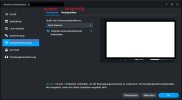
I have now received the camera I ordered, and unfortunately I’m really not satisfied with my IPC-T54IR-AS so far. I’m using the camera with Synology Surveillance Station. Synology receives the event settings from the camera, but the only options available are motion detection and tampering detection. There is no option to enable person detection at all:
e1.jpg

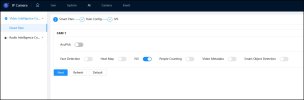
Inside the camera interface itself, I can only enable IVS, because the other options are grayed out:
e2.jpg

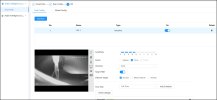
The camera software also feels very poor and frustrating to use. For example, it doesn’t seem possible to draw a simple rectangular detection area. Instead, I can only draw polygons. I tried clicking “Max” because I just wanted a simple full-screen rectangle, but that doesn’t seem to work either. Drawing detection areas in general is very unreliable. The buttons often don’t react properly to clicks, and the whole interface feels buggy and unintuitive:
e3.jpg

I originally planned to buy at least 10 more cameras and also install some for friends, but now I’m very glad I only bought one to test first. A camera that only does basic motion detection was already available 15–20 years ago for very little money, so I expected much more from this model.

Am I missing something obvious here? Or is the software/AI detection on this camera really this limited and unreliable? Any advice would be appreciated, because right now I’m honestly quite disappointed.
 
I have now received the camera I ordered, and unfortunately I’m really not satisfied with my IPC-T54IR-AS so far. I’m using the camera with Synology Surveillance Station. Synology receives the event settings from the camera, but the only options available are motion detection and tampering detection. There is no option to enable person detection at all:
View attachment 243297

Inside the camera interface itself, I can only enable IVS, because the other options are grayed out:
View attachment 243298

The camera software also feels very poor and frustrating to use. For example, it doesn’t seem possible to draw a simple rectangular detection area. Instead, I can only draw polygons. I tried clicking “Max” because I just wanted a simple full-screen rectangle, but that doesn’t seem to work either. Drawing detection areas in general is very unreliable. The buttons often don’t react properly to clicks, and the whole interface feels buggy and unintuitive:
View attachment 243299

I originally planned to buy at least 10 more cameras and also install some for friends, but now I’m very glad I only bought one to test first. A camera that only does basic motion detection was already available 15–20 years ago for very little money, so I expected much more from this model.

Am I missing something obvious here? Or is the software/AI detection on this camera really this limited and unreliable? Any advice would be appreciated, because right now I’m honestly quite disappointed.
SS issue.
 
  • Like
Reactions: StevenFromTexas
Part user knowledge, possibly part browser, and while I've not used it, SS seems to make up an extra large amount of complaints.

Recommend using Edge and saying no to prompts (open Websocketserver and nag for plugin)

Only 1 AI detection can be activated at one time. The camera can only run 1
So uncheck IVS, and then check another AI service, then save.
Works fine

View attachment Recording 2026-05-09 194923.mp4


On rectangle,
Left click/hold drag side 1, release at endpoint without moving mouse, left click and hold/drag side 2, etc sides 3 & 4
- on the last side when you finish side 4, right click without moving mouse, this will end the drawing.

View attachment Recording 2026-05-09 195140.mp4


By the way if you havent already, suggest you make sure MD and SMD are both turned OFF/Disabled uner "Events"/Video Detection"
IVS works quite well and is vastly superior for a host of reasons.
 
Part user knowledge, possibly part browser
Exaclty! Thank you, I have finally got it working (even in SS). Your detailed instructions also helped me configure it properly.

By the way if you havent already, suggest you make sure MD and SMD are both turned OFF/Disabled uner "Events"/Video Detection"
IVS works quite well and is vastly superior for a host of reasons.
I did that, but then realized that the recording hadn't started. So I enabled both IVS (under AI) and MD/SMD (under events).
 
MD/SMD are very different types of detection. They will provide MANY more false alerts.

IVS is far superior.

Recommend you Disable MD/SMD, but its your choice
 
  • Like
Reactions: fedter