
- May 3, 2014
- 30
- 10
I am having an issue with being unable to view about 50% of my cameras from the app.
I get the Screen with the spinning circle, and the word "Loading" then it just goes to a black screen

I have tried it on 2 different phones, S25, Motorola, and an A9+ Tablet
I have reinstalled the app.
If I Live View a Camera Group it is fine, even if the Group is just one of the problem cameras.
Just Camera: Group with just that Camera: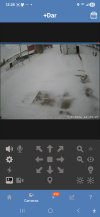
I have a backup system (2nd license) that I brought online and it does the same.
Both systems are on 6.0.2.1. I know they all worked fine back somewhere on 5.xxx, but i do not use this feature a lot so i'm not sure when it failed. I mainly work off of alerts notifications
Main system is a Dell OptiPlex SFF Plus 7010, 13th Gen i7-13700, 32MB Memory, 40 TB External Storage Drive, UHD 770, Nvidia Quatro P620 with 20 Cameras
Right now it is at CPU at 20%, GPU 43%, RAM 7.46GB
Nothing odd in the logs at server
'
Not working are several Verint V4750FDW, 5MP H.265
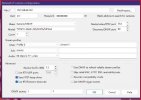
And a Anpviz 4MP IPC-D240W-S
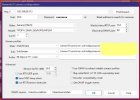
Working are several Anpviz 4MP Bullet IPC-B8740W-S
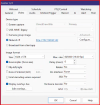
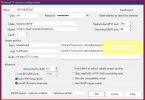
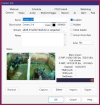
Interestingly there is also an identical Anpviz 4MP Bullet IPC-B8740W-S that is not working
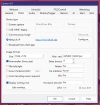
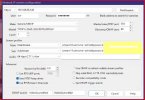
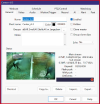
Any ideas before i go to support?
I get the Screen with the spinning circle, and the word "Loading" then it just goes to a black screen
I have tried it on 2 different phones, S25, Motorola, and an A9+ Tablet
I have reinstalled the app.
If I Live View a Camera Group it is fine, even if the Group is just one of the problem cameras.
Just Camera:
Group with just that Camera: I have a backup system (2nd license) that I brought online and it does the same.
Both systems are on 6.0.2.1. I know they all worked fine back somewhere on 5.xxx, but i do not use this feature a lot so i'm not sure when it failed. I mainly work off of alerts notifications
Main system is a Dell OptiPlex SFF Plus 7010, 13th Gen i7-13700, 32MB Memory, 40 TB External Storage Drive, UHD 770, Nvidia Quatro P620 with 20 Cameras
Right now it is at CPU at 20%, GPU 43%, RAM 7.46GB
Nothing odd in the logs at server
'
Not working are several Verint V4750FDW, 5MP H.265
And a Anpviz 4MP IPC-D240W-S
Working are several Anpviz 4MP Bullet IPC-B8740W-S
Interestingly there is also an identical Anpviz 4MP Bullet IPC-B8740W-S that is not working
Any ideas before i go to support?

